Multiple Instances
Run as many game clients as you need from the same active key and network.
Game automation, kept simple.
We create bots to improve your gaming experience, help you reach goals that would otherwise take countless hours, and keep your progress moving while you get on with everyday life.
CATALOG
More games will be added over time.
CaveBot, alarms, utilities, magic training and multiple instances.
Run as many game clients as you need from the same active key and network.
Record, save and load routes and creature lists. Choose between Chase and Keep Distance combat modes.
Get notified about nearby players, low health or mana, player attacks and anti-captcha events.
Configure healing spells, action items, life and mana potions, and automatic attack spells or runes.
Set the spell mana cost and hotkey, then train automatically for the number of hours you choose.
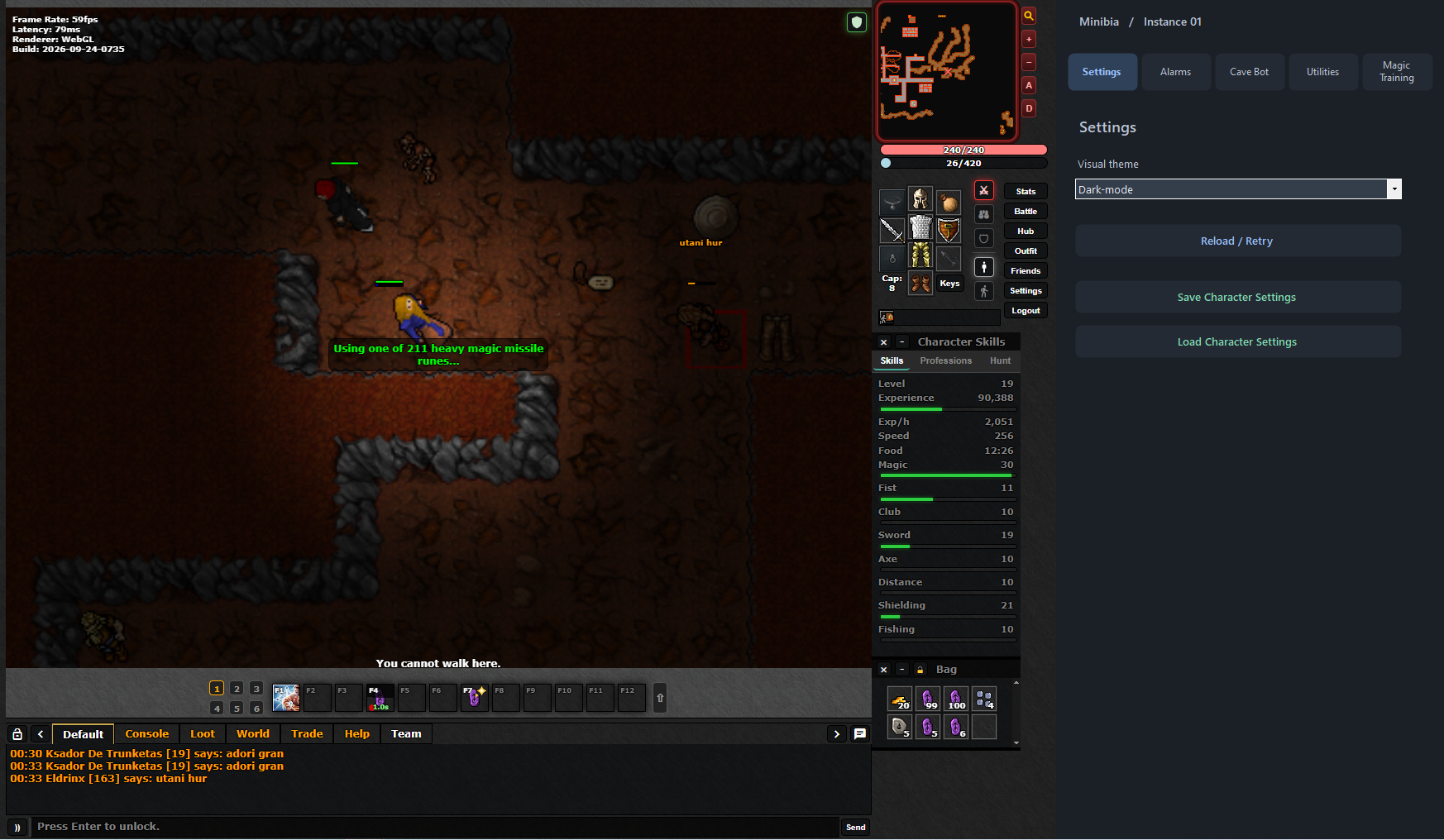
Settings — save and load character configurations.
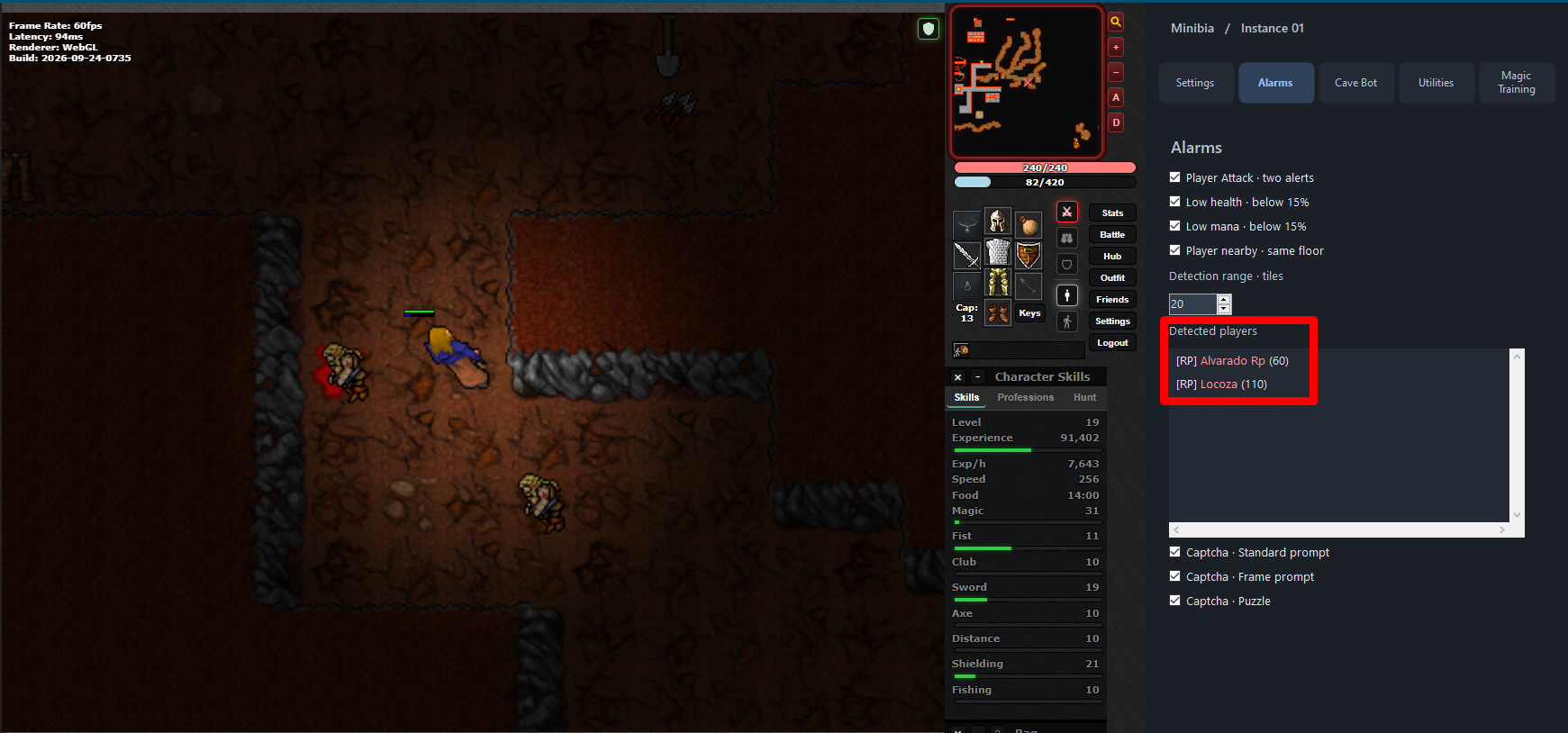
Alarms — monitor nearby players and important character states.
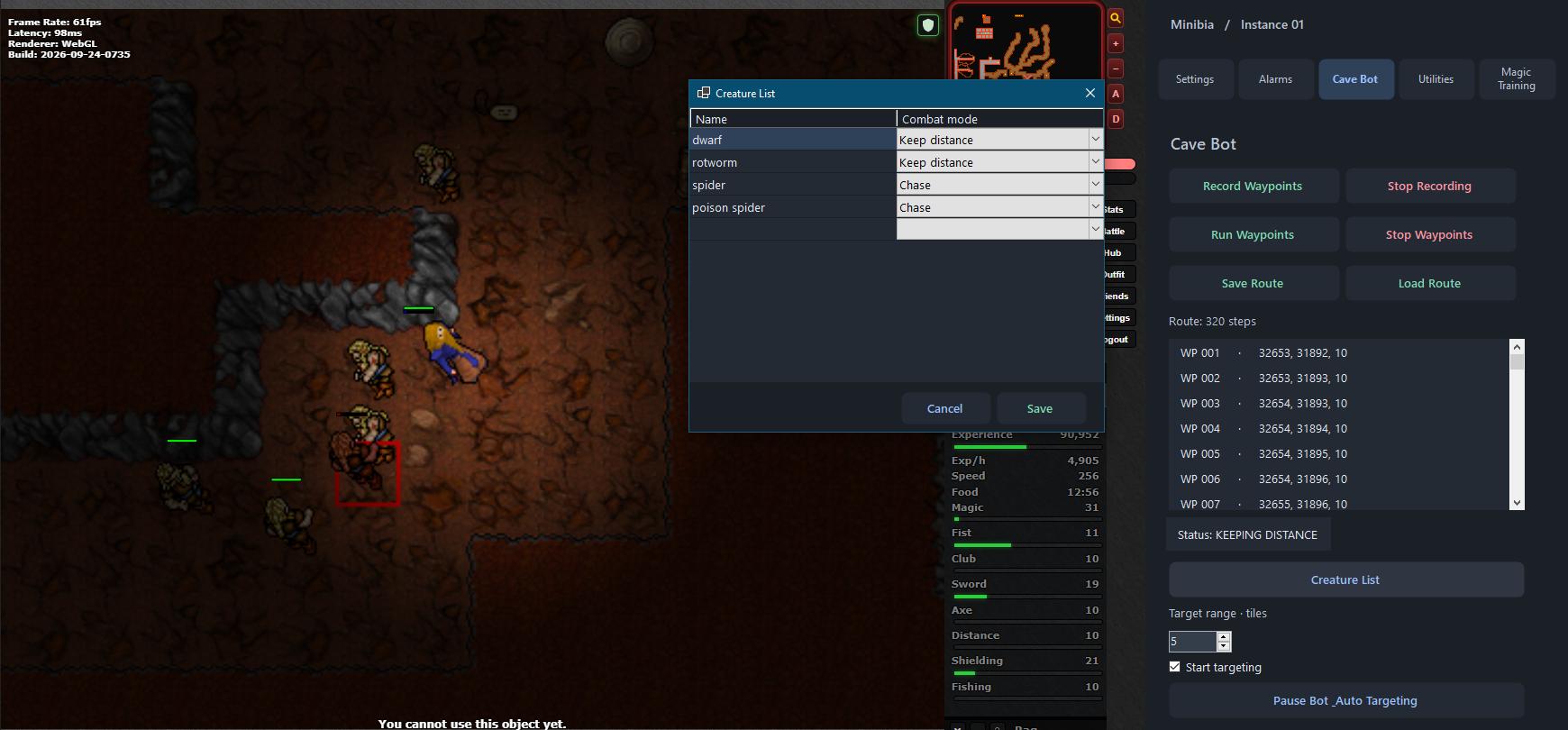
CaveBot — record routes, configure targets and choose combat behavior.
DOWNLOAD
PRICING
No account or password required.
7 DAY KEY
After payment, a unique key is generated and sent to the email address used at checkout. Your 7-day period starts when the key is activated in the bot for the first time.
HELP
Yes. WeUseBot is designed to operate only with the supported game or application. It does not collect or transmit gameplay data, screenshots, game credentials, character information or personal files.
When running WeUseBot for the first time, Windows or your antivirus may display security or permission prompts. WeUseBot uses software protection and obfuscation technologies, which can sometimes trigger heuristic warnings from antivirus software.
As with any automation software, the rules of the game or server you use remain applicable, and WeUseBot cannot guarantee that third-party services will allow automation.
No. WeUseBot provides a simple user interface designed to be easy to configure and use.
You can use WeUseBot without purchasing a license for 15 minutes per session. After those 15 minutes, you can restart WeUseBot to begin another trial session.
Purchased licenses include additional benefits such as saving settings and scripts, faster startup and continuous licensed use without restarting every 15 minutes.
WeUseBot licenses are associated with the device where they are activated. If you permanently lose access to that device, you will need to purchase a new license for the new device.
No. Each WeUseBot license is associated with one device only and cannot be used on multiple devices.
Game updates can sometimes introduce changes that affect compatibility. If this happens, contact us at [email protected]. We will review the issue and update WeUseBot when necessary so compatibility can be restored.
We normally review changes carefully before publishing updates to maintain stability whenever possible.
Yes. If the game you want to automate is not currently supported, send your request to [email protected]. We will evaluate whether WeUseBot can be adapted to support the requested game.
Yes, on Windows. One of WeUseBot's main features is that supported automation can continue operating while the game is minimized, allowing you to continue using your computer normally. This functionality is currently available on the Windows version.
WeUseBot requires a network connection for its licensing and session services. If your connection is interrupted, first restore your Internet connection or contact your Internet Service Provider if the problem persists.
Once your connection is working again, simply reopen WeUseBot and continue using it normally.
POLICY
Refunds are available only for keys that have never been activated.
A key becomes activated when you enter it in the bot and it is successfully validated for the first time. From that moment, the license is considered active and in use, and we will not issue a refund for that key.
This policy does not limit any rights that must be provided under applicable consumer law.